
Add and manage supporting documents
Upload, replace, archive and download the evidence documents required for your aged-care audit, at provider (AECT) and service (CDECT) level.
Supporting documents are the source files an assessor expects to see for an aged-care audit. Coverage gives you a ready-made list of the documents you need (pre-mapped to the Standards outcomes they support) so you can upload each one, keep it current, and download it whenever it's needed. Provider-level documents come from the Audit Evidence Collection Tool (AECT); service-level documents come from the Care Delivery Evidence Collection Tool (CDECT).
Before you start You'll need the Provider Manager role for provider-level documents. Service Team Members can manage documents for the services they're assigned to. Make sure your provider's working towards setting (Registration, Renewal or Variation) is correct. It determines which documents appear.
Upload a document
- Open Supporting Docs from the sidebar. The list shows every required document with its Doc no., Document name, Timeframe, Related outcomes and current state.
- Find a document in the not uploaded state and select + Upload on its row.
- In the Upload document panel, drag your file into the Attachments area or browse to it. You can upload one file per document.
- Set Relevant pages? Leave it on Entire document, or choose Page range and use List pages? to note exactly which pages apply.
- Select Upload. The row moves to the Uploaded state, tagged with who added it and when.
 The supporting documents list, showing uploaded and not-yet-uploaded rows.
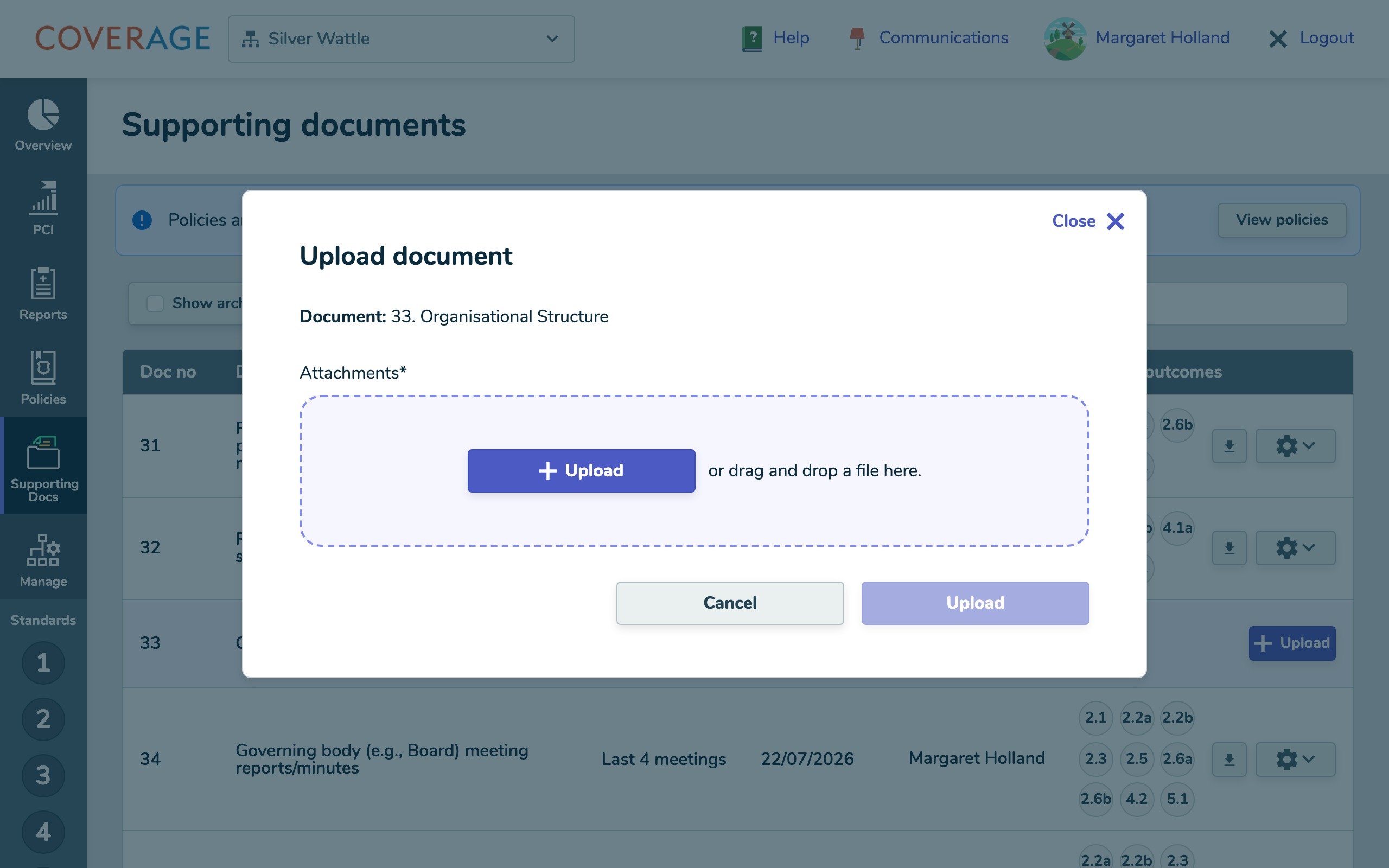 The Upload document panel, with the relevant-pages options.
Replace or archive a document
Documents change over time. From the cog menu on any uploaded row:
- Replace and archive opens the upload flow for a new file. When it succeeds, the previous file is archived automatically (it stays viewable, never deleted).
- Archive removes the current upload without adding a new one. The archived file remains available under Show archived.
 The row menu, with Replace and archive and Archive actions.
Find what's missing
Use the controls above the list to focus:
- No current version shows only the documents you still need to upload.
- Show archived reveals previous versions (hidden by default). Archived rows are muted, marked ARCHIVED, and are download-only.
- Search filters by keyword; matches are highlighted.
Key terms
- AECT supporting document: a provider-level document from the Audit Evidence Collection Tool.
- CDECT supporting document: a service-level document from the Care Delivery Evidence Collection Tool. Which CDECT documents apply depends on the service's category (4 & 5 for home/community, 6 for residential).
- Related outcomes: the Standards outcomes a document supports. These mappings come from the government tool and can't be edited.
Tip Documents classified as policies or procedures aren't managed here. They live in the Policies area. At provider level you'll see a View policies shortcut to jump across.
What happens next
Every document you upload automatically appears as linked evidence against its related outcomes in the Standards area, so your audit picture stays complete without re-entering anything. See Linked evidence from documents and policies. Your uploads persist even if your working-towards mode or service category changes later.