
The Service Team Member role
A mid-level role for people who do the day-to-day compliance work at the specific services they're assigned to, without access to other services or the provider level.
Service Team Member is the role for people who do the day-to-day compliance work at one or more of your services. A Service Team Member maintains evidence, ratings, documents and reports for the services they're assigned to, and can't see or change anything outside them. It sits between Provider Manager and Staff in access.
Before you start You'll need the Provider Manager role to add users and assign this role. Decide which services the person should cover before you start, since you'll pick them during the invite.
What the Service Team Member role can and can't do
Can (for their assigned services only):
- Maintain standards evidence and outcome ratings
- Run the plan for continuous improvement (PCI)
- Generate reports
- Manage supporting documents at the service level (CDECT)
- View policies that apply to them, and acknowledge any that need sign-off
Can't:
- Manage users, or see the Manage area
- Access the Provider Management (provider-level, or AECT) view or its documents
- See or change services they haven't been assigned to
- Publish or manage policies (that's a Provider Manager task)
Invite someone as a Service Team Member
- Go to Manage → Users.
- Select Add new user. The Add a new user modal opens.
- Enter the person's Email.
- Set User level to Service Team Member.
- In the Services field, choose the services this person should have access to. This is required: a Service Team Member is scoped to exactly the services you pick here.
- Send the invite. The person receives an email to Complete registration, where they set their name and password.
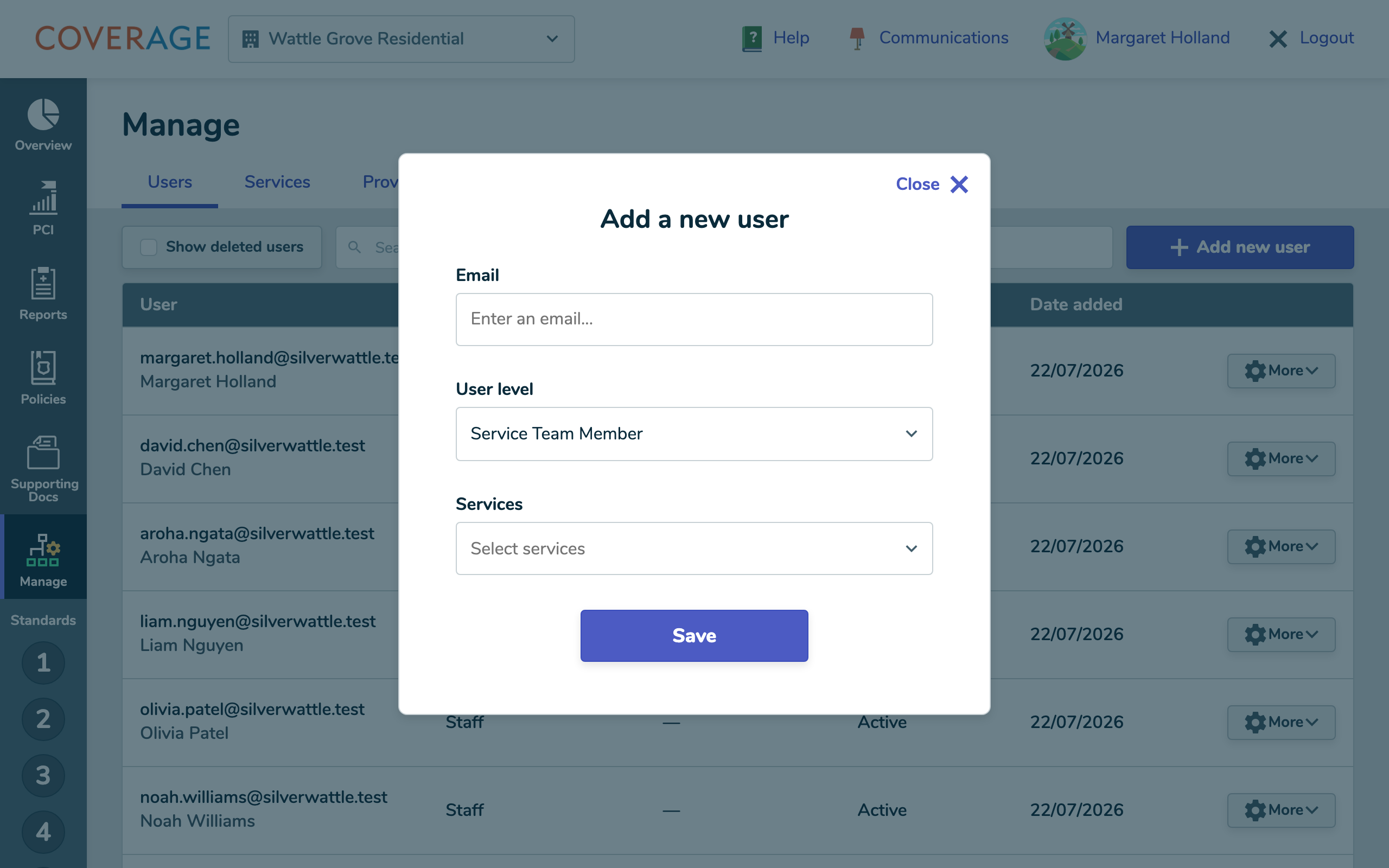 Adding a Service Team Member and choosing the services they can access.
What a Service Team Member experiences
After logging in, a Service Team Member lands on Overview and sees the sidebar for their compliance work: Overview, PCI, Reports, Policies and Supporting Docs. There's no Manage area. The view selector at the top lists only the services they were assigned, with no Provider Management view, so everything they do stays within those services.
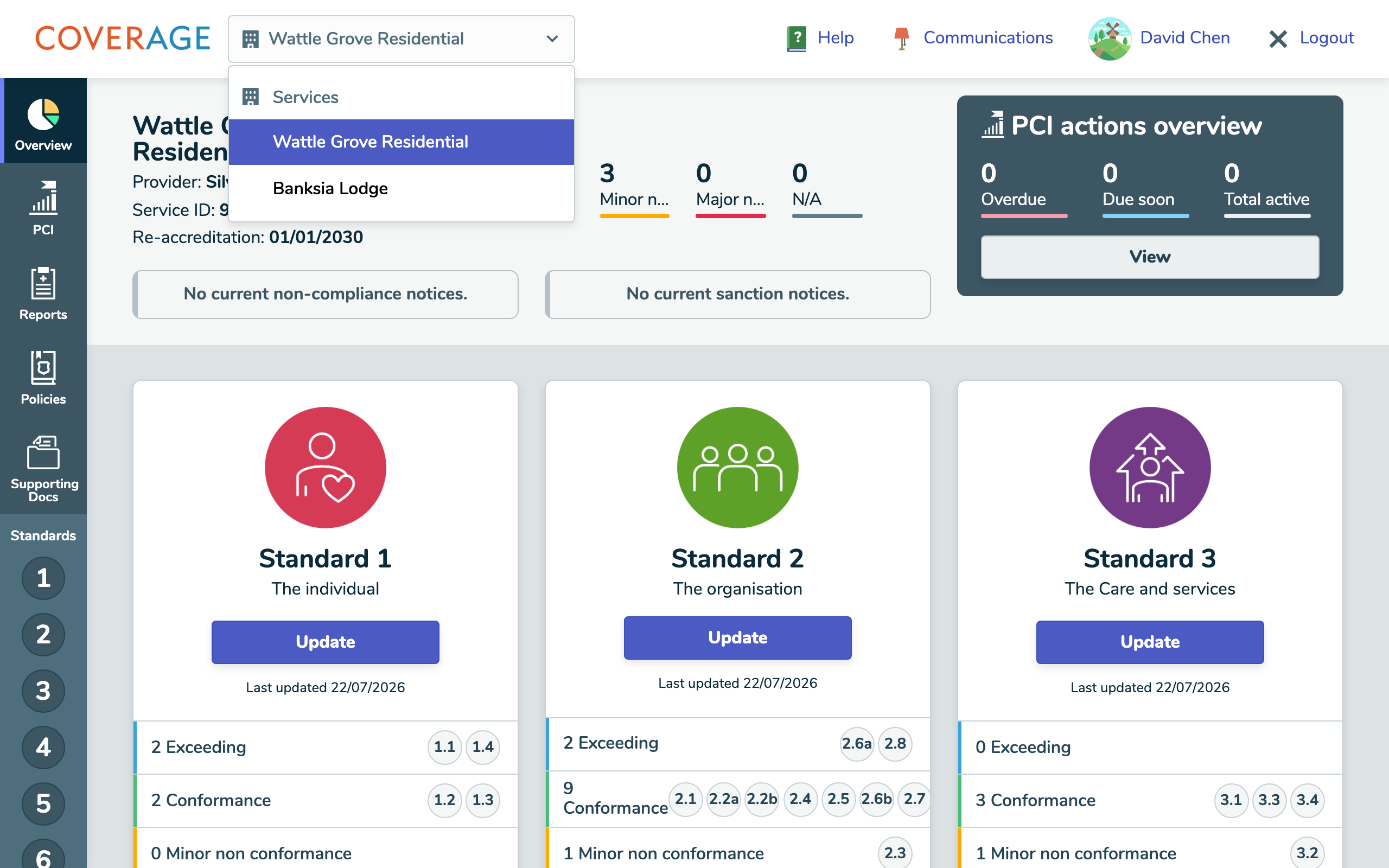 A Service Team Member's view selector, showing only their assigned services.
Tip To change which services someone covers, edit them from Manage → Users and update the Services field. To give someone the whole organisation instead, use Provider Manager; for acknowledgements only, use Staff.
Good to know
- A Service Team Member's access follows the services on their account. Add or remove a service and their access changes with it.
- Service-level supporting documents (CDECT) are in reach for their services; provider-level (AECT) documents are not.