
The Provider Manager role
The highest-access role, for people who run compliance across your whole organisation: every service, provider-level evidence, users, policies and settings.
Provider Manager is Coverage's highest-access role, for the people who run compliance across your whole organisation. A Provider Manager can reach every service and the provider level, manage other users, and configure how your provider works. If someone owns your audit readiness end to end, this is their role.
Before you start Only a Provider Manager can create or change users, so you'll need this role to assign it to someone else. Coverage's roles, from most to least access, are Provider Manager, Service Team Member and Staff.
What the Provider Manager role can do
- Work across the whole organisation. Switch between the Provider Management view (your provider-wide, or AECT, evidence and settings) and any individual service, using the view selector at the top of the app. Every service is available automatically.
- Manage users. Invite people, set their User level, assign services and change or remove access from Manage → Users.
- Manage policies. Publish policies and procedures, require acknowledgement, and track who has signed off (see Manage policies and procedures).
- Manage supporting documents at both provider level (AECT) and service level (CDECT).
- Own the standards work. Maintain evidence and outcome ratings, and run the plan for continuous improvement (PCI).
- Generate and manage reports.
- Configure your provider and services, including what your provider is working towards.
Give someone the Provider Manager role
- Go to Manage → Users.
- Select Add new user. The Add a new user modal opens.
- Enter the person's Email.
- Set User level to Provider Manager. (The Services field is hidden, because a Provider Manager gets every service automatically.)
- Send the invite. The person receives an email to Complete registration, where they set their name and password.
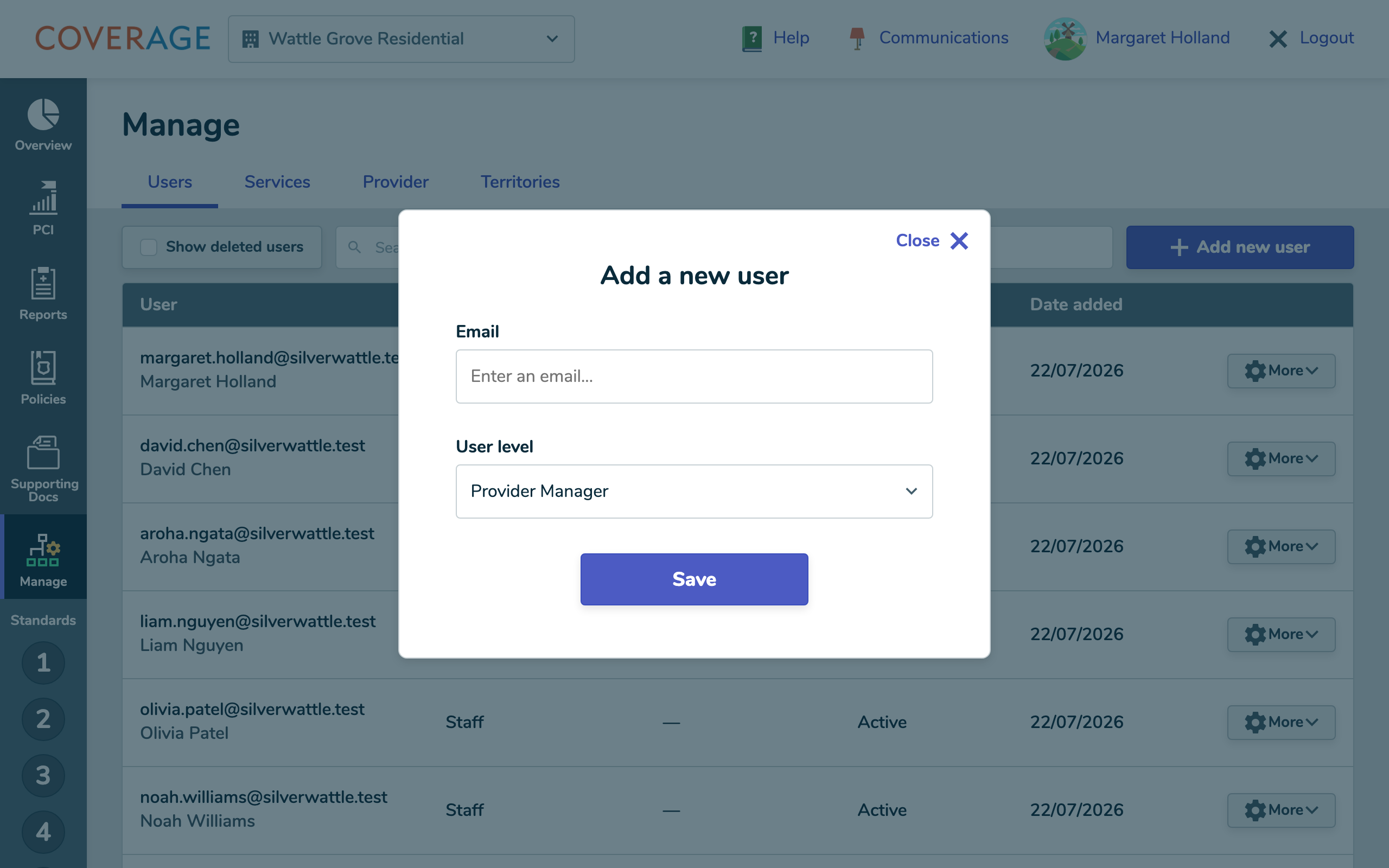 Adding a user with User level set to Provider Manager.
What a Provider Manager experiences
After logging in, a Provider Manager lands on Overview and sees the full sidebar: Overview, PCI, Reports, Policies, Supporting Docs and Manage. The view selector at the top offers a Provider Management view and a list of every service, so they can move between provider-level and service-level work at any time.
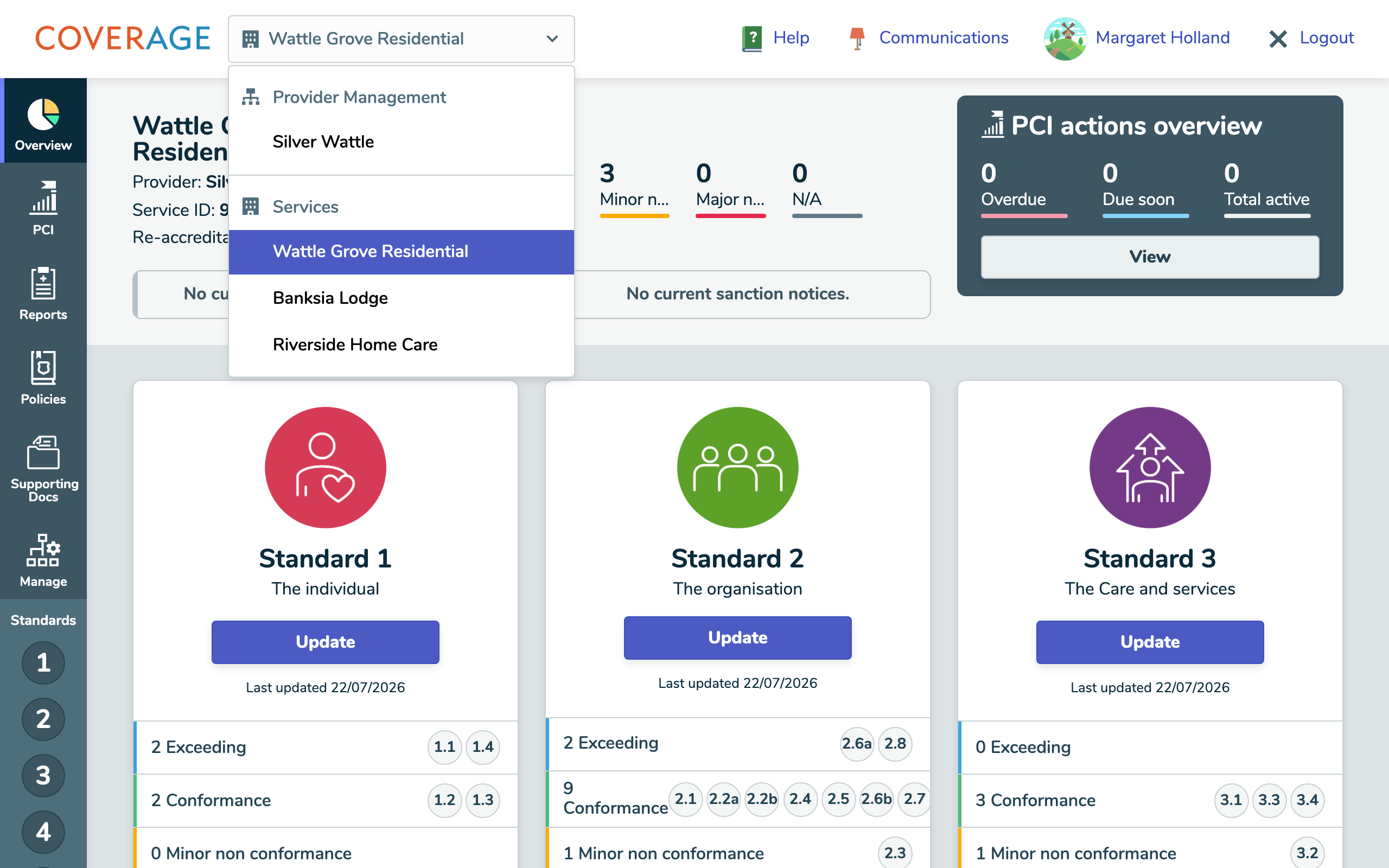 A Provider Manager's view selector, with a Provider Management view above every service.
Tip Because this role can see and change everything, keep the number of Provider Managers small. For people who only work on particular services, use Service Team Member instead.
Good to know
- A Provider Manager is scoped to the whole provider, so there's no need to assign individual services. The hidden Services field is by design.
- Provider Managers are the only role that can manage users and access the provider-level (AECT) area.